Complifile Platform Guide
Complete Guide for Business Owners & Chartered Accountants
Last Updated: 9 April, 2026
📋1. Introduction to Complifile
What is Complifile?
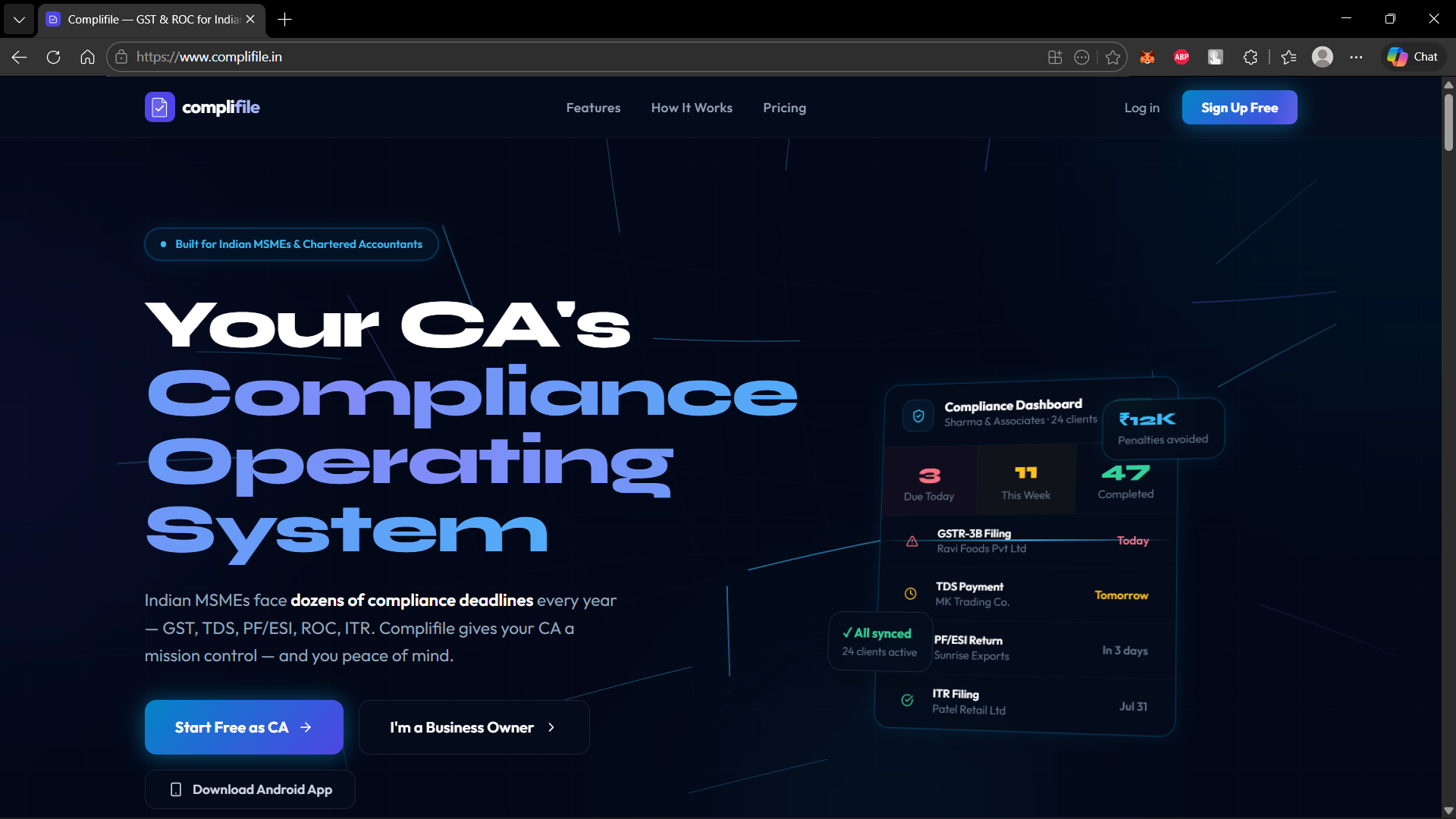
Complifile is a comprehensive B2B SaaS platform designed for the Indian tax compliance ecosystem. It bridges the gap between Chartered Accountants and their business-owner clients (MSMEs) to automate and streamline compliance processes.
Key Benefits
For Business Owners
- Never miss compliance deadlines
- Transparent collaboration with CA
- Secure document storage
- Real-time compliance health tracking
For Chartered Accountants
- Manage unlimited client portfolios
- AI-powered reconciliation tools
- Automated compliance workflows
- Penalty calculators & checklist generators
Key Features
- ✓GST, TDS, PF/ESI, and ROC compliance tracking
- ✓Document management with secure cloud vault
- ✓AI-powered reconciliation engines
- ✓Deadline reminders and compliance health monitoring
- ✓Real-time collaboration between CAs and business owners
🚀2. Getting Started
Creating Your Account
Step 1: Navigate to Signup
Visit the Complifile homepage and click "Sign Up" or navigate to /signup
Step 2: Select Your Role
- ●Business Owner - If you're managing compliance for your business
- ●Chartered Accountant - If you're managing client portfolios
Step 3: Fill in Your Details
- ✓Full Name
- ✓Email Address
- ✓Phone Number
- ✓Password (minimum 8 characters)
- ✓Accept Terms & Conditions
Step 4: Email Verification
Check your email for a verification link from Complifile. Click the link to verify your email address.
Step 5: Login
Navigate to /login, enter your email and password. You'll be redirected based on your role.
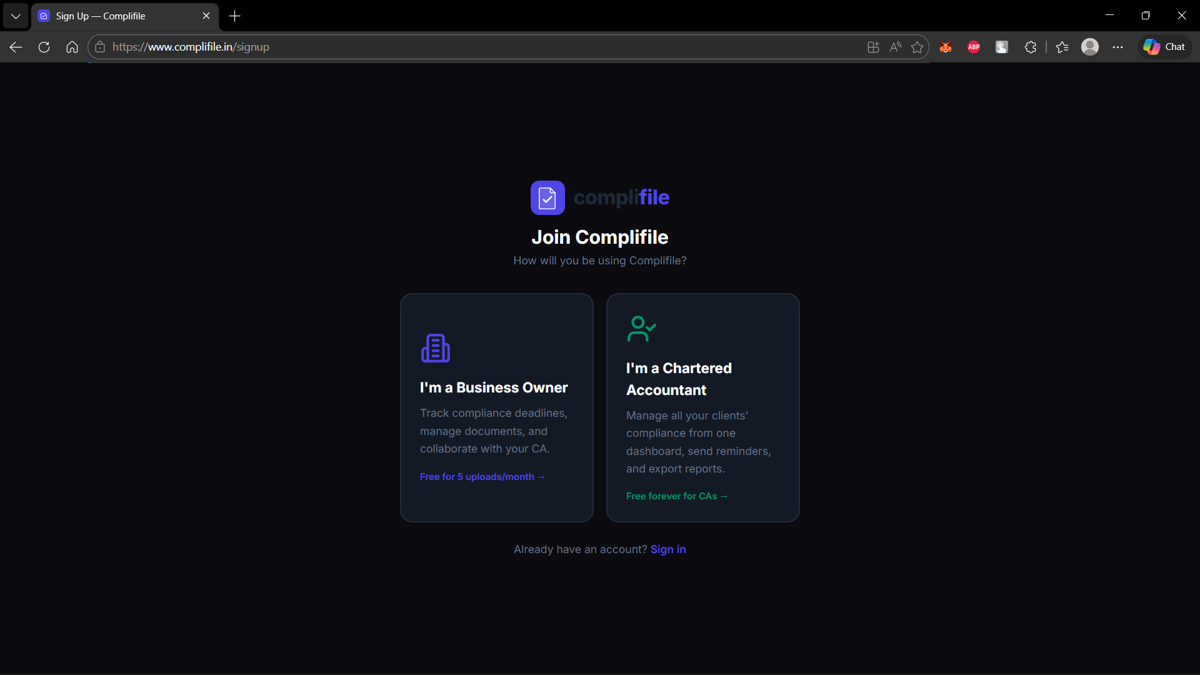
Step 1: Role Selection
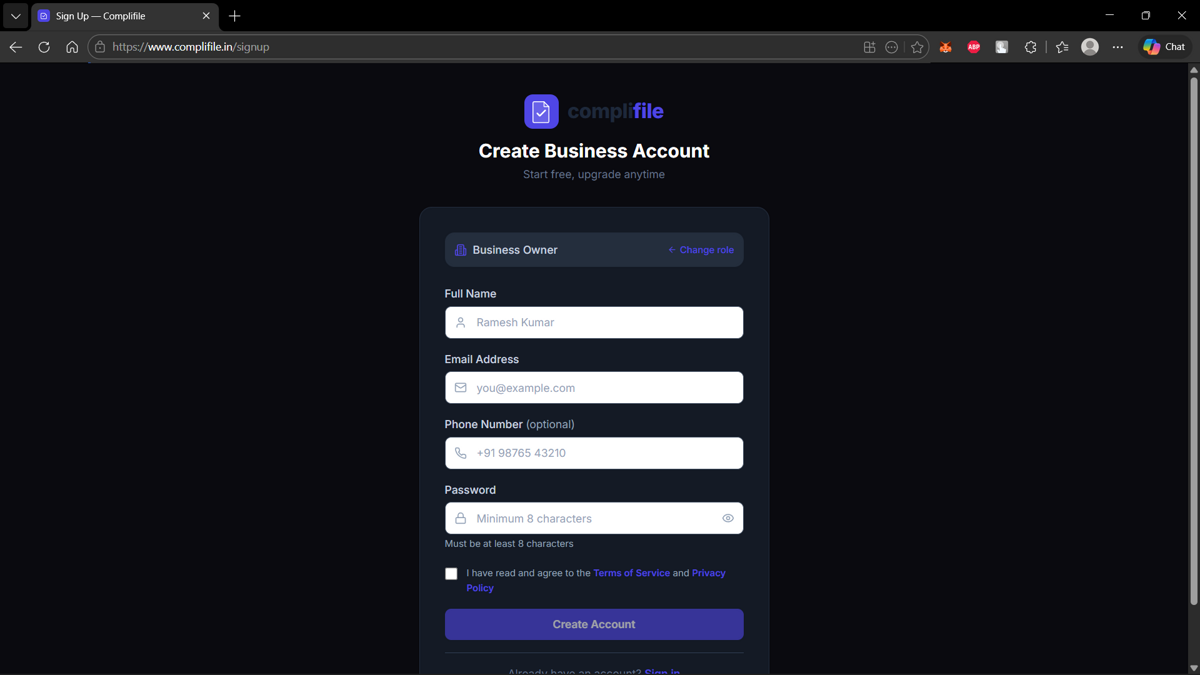
Step 2: Create Account
👤3. For Business Owners
3.1 Dashboard Overview
Your dashboard (/dashboard-owner) is your compliance command center.
- ●Compliance Score Orb - Visual radial dial showing overall health (0-100%)
- ●Stat Cards - Total tasks, pending, overdue, completion rate
- ●Resource Meters - Vault storage usage
- ●Compliance Timeline - Tasks with color-coded status badges
Green (80-100%) - Excellent compliance
Amber (50-79%) - Needs attention
Red (0-49%) - Critical, immediate action required
3.2 Managing Compliance Tasks
Access the full task list at /tasks
7-State Task Workflow:
3.3 Document Vault
Your secure cloud storage for all compliance documents (/vault)
Maximum file size: 10 MB per file
3.4 Analytics & Reports
Access comprehensive compliance analytics at /analytics
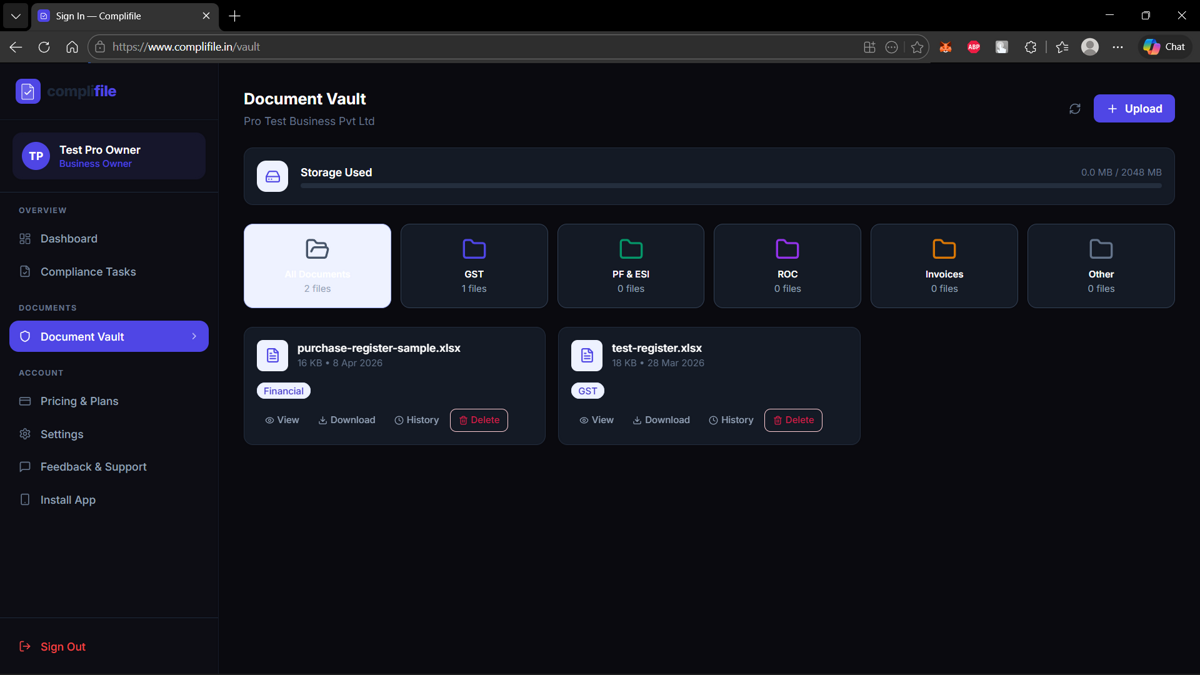
Secure Document Vault
💼4. For Chartered Accountants
4.1 CA Command Centre Overview
The CA Dashboard (/dashboard-ca) is the most feature-rich interface with 17 powerful tabs.
4.2 Reconciliation Tools
Complifile provides 5 reconciliation modules, each with AI-powered analysis.
✓ 1 free report per module per month
4.3 Utility Tools
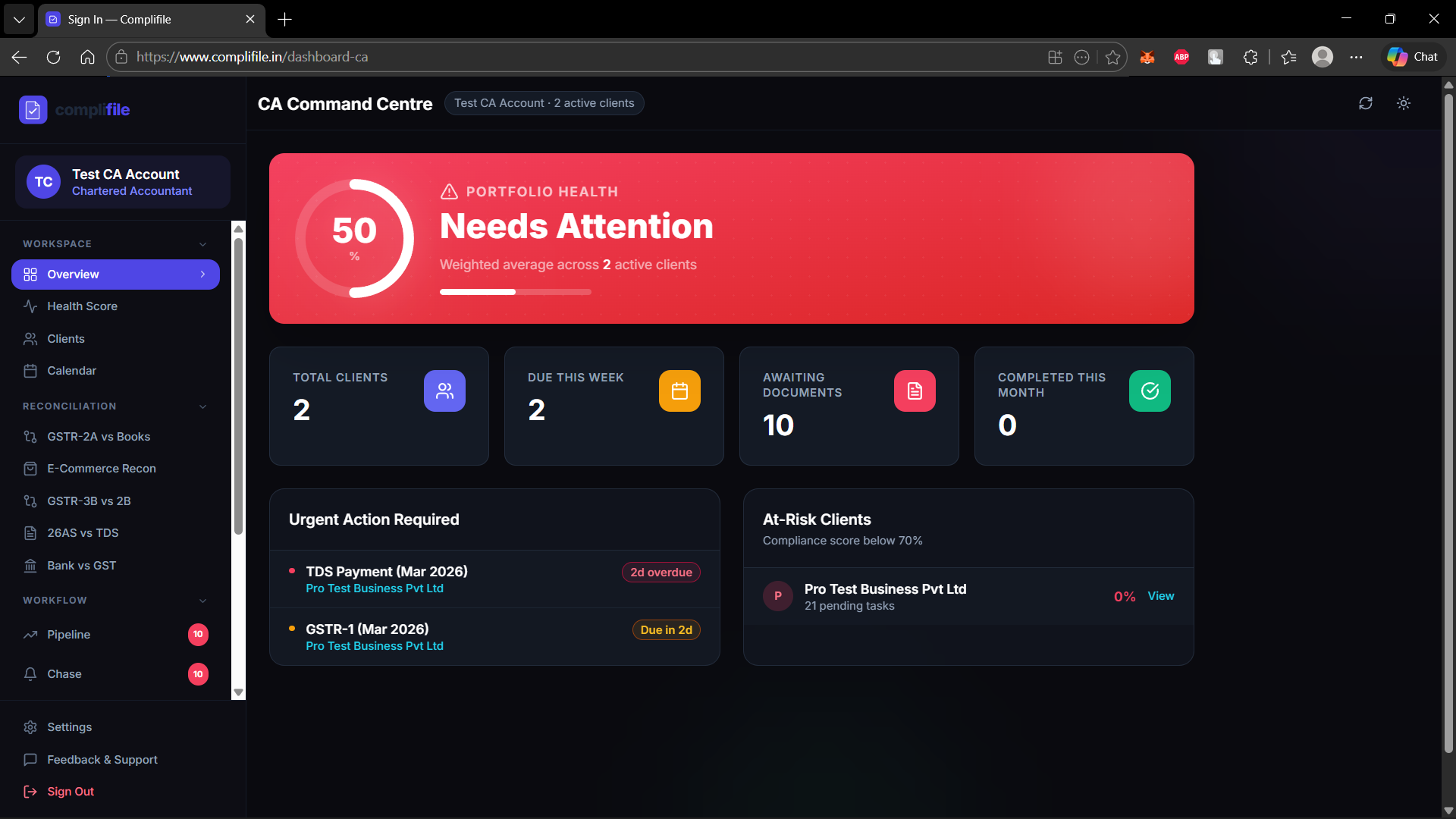
CA Command Centre - Overview
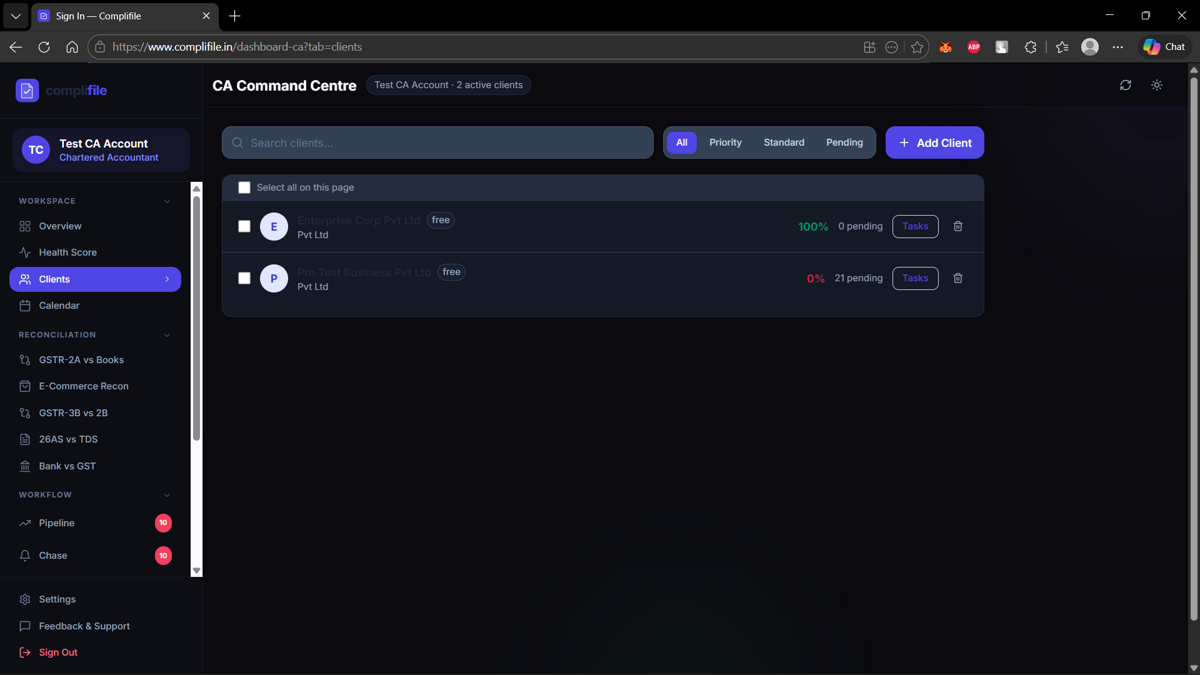
Client List
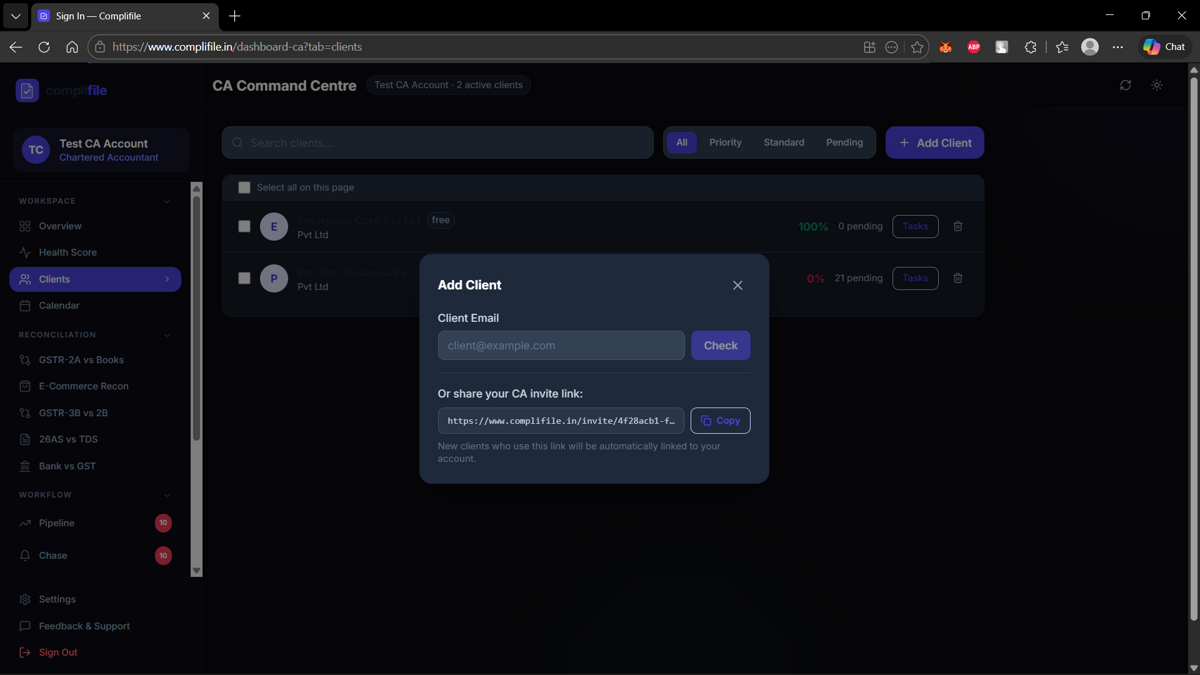
Invite Client
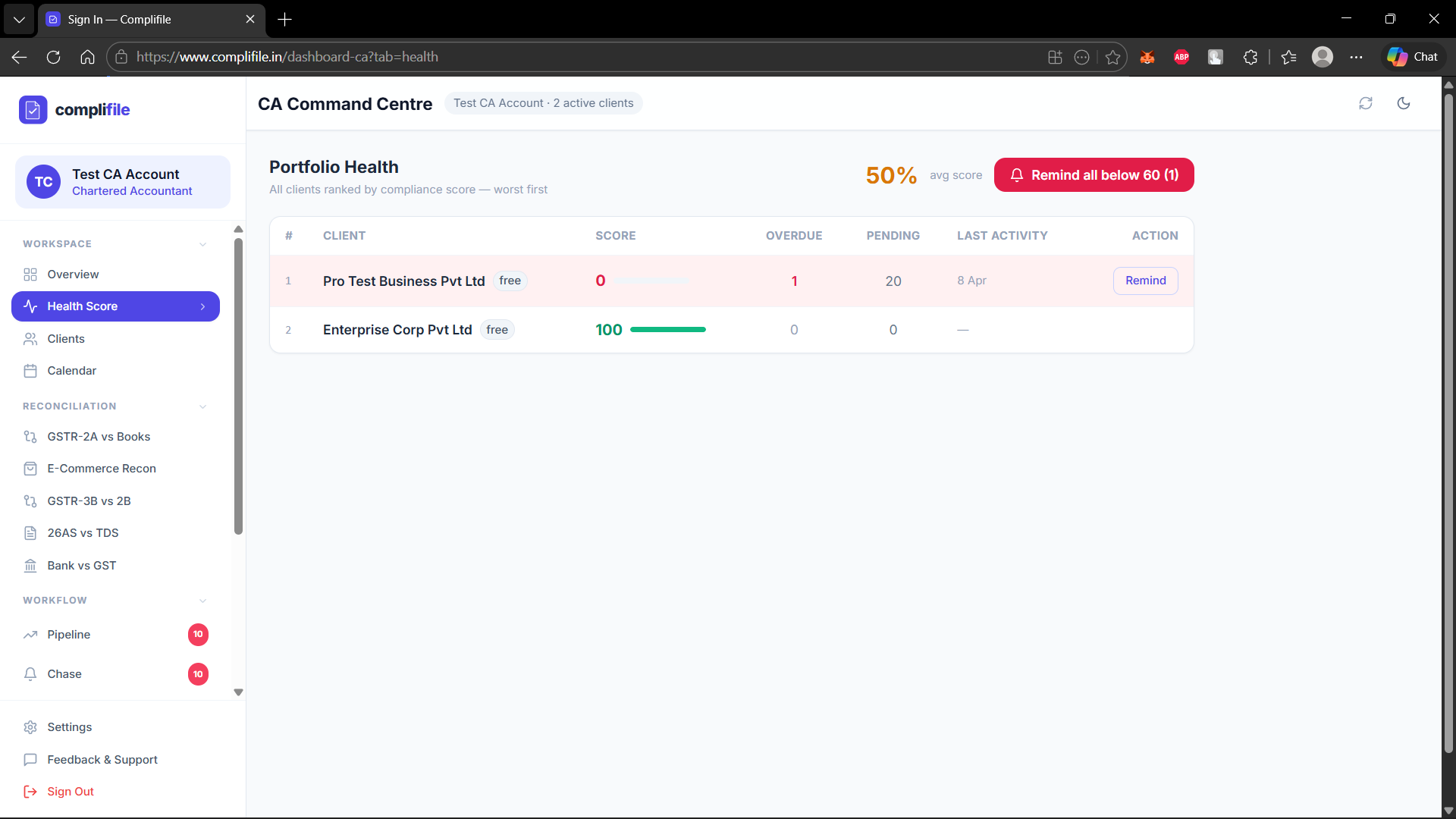
Portfolio Health Score
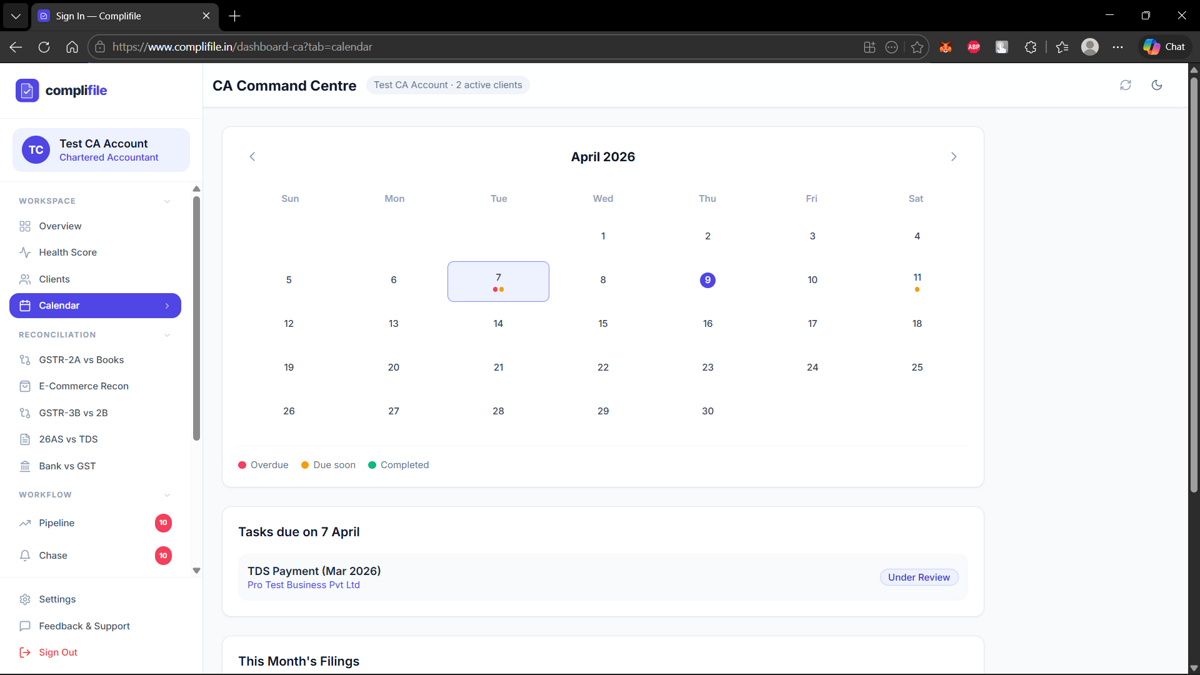
Compliance Calendar
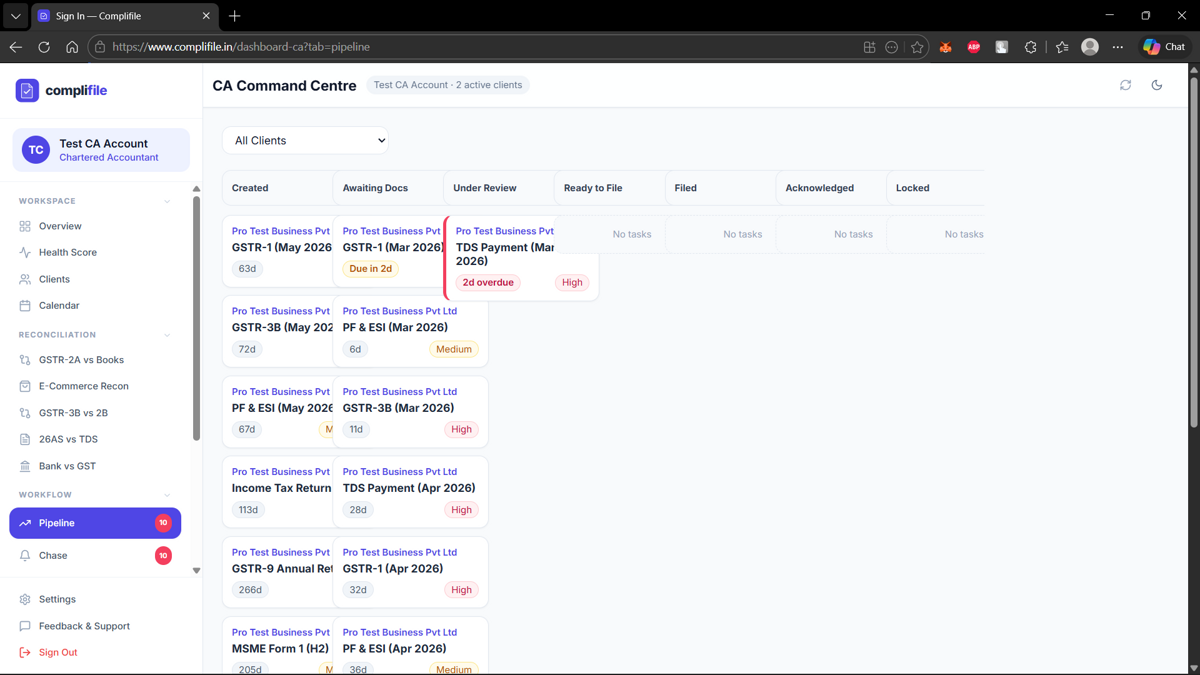
Compliance Pipeline
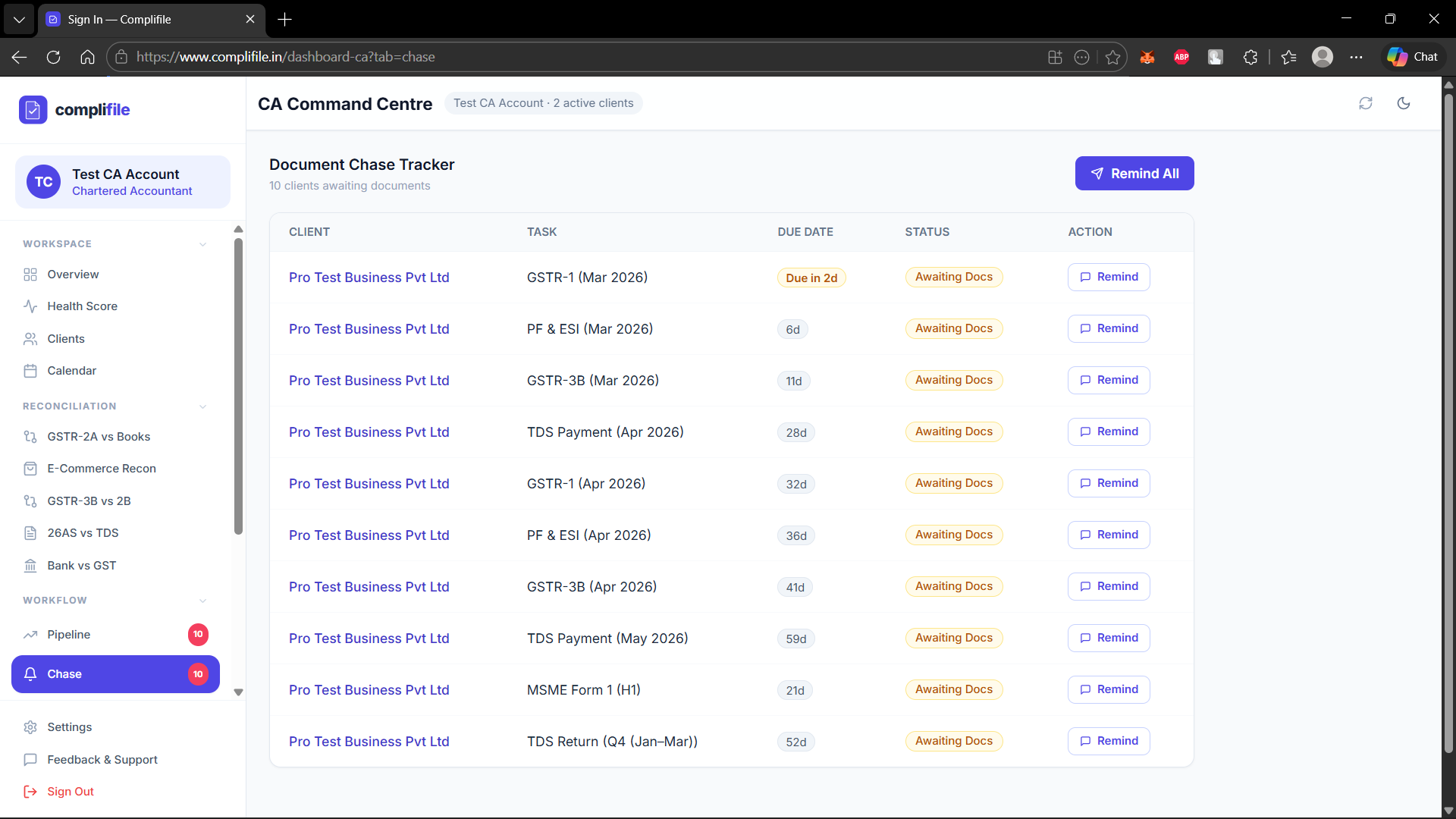
Document Chase Tracker
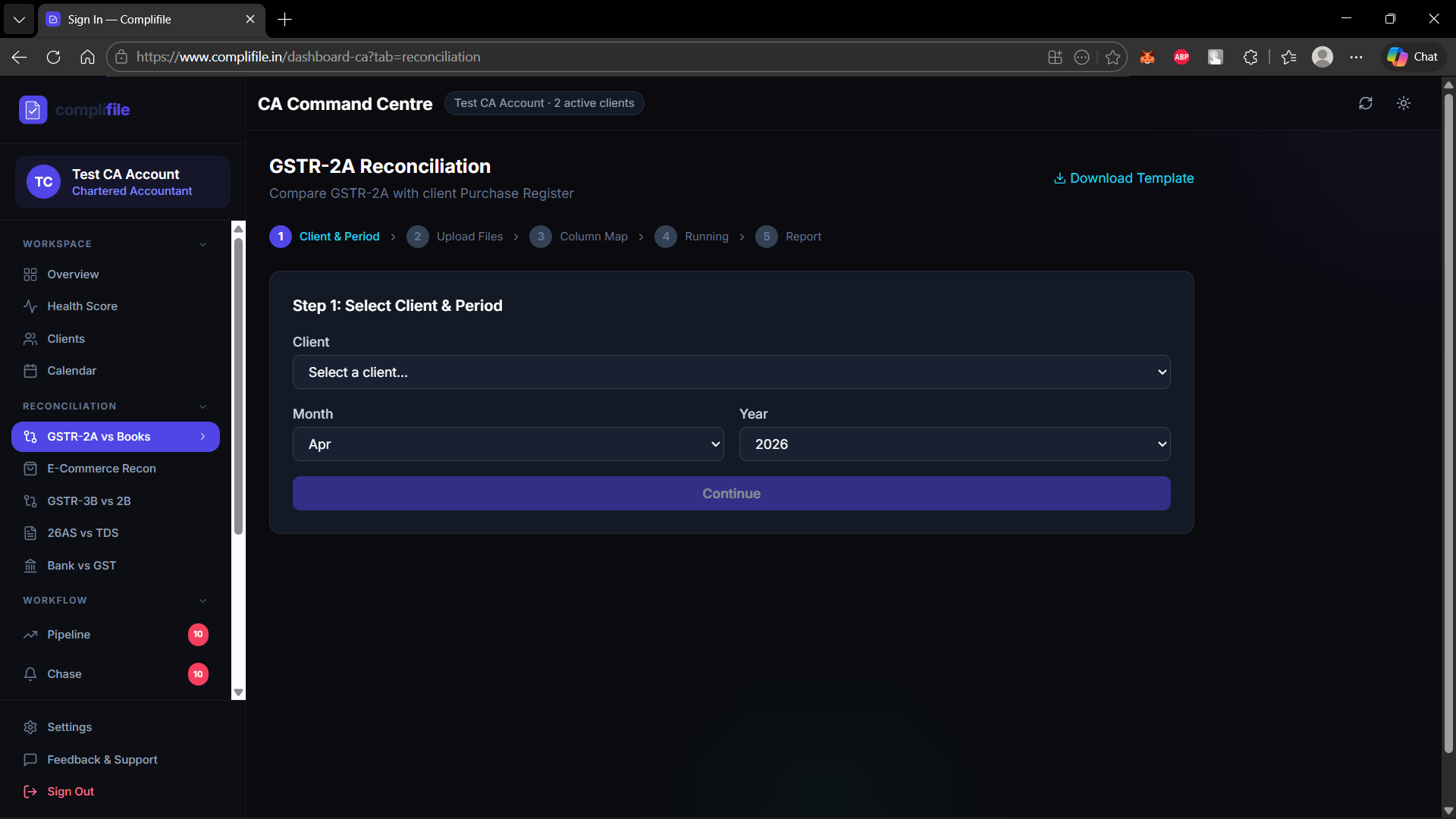
GSTR-2A vs Purchase Register
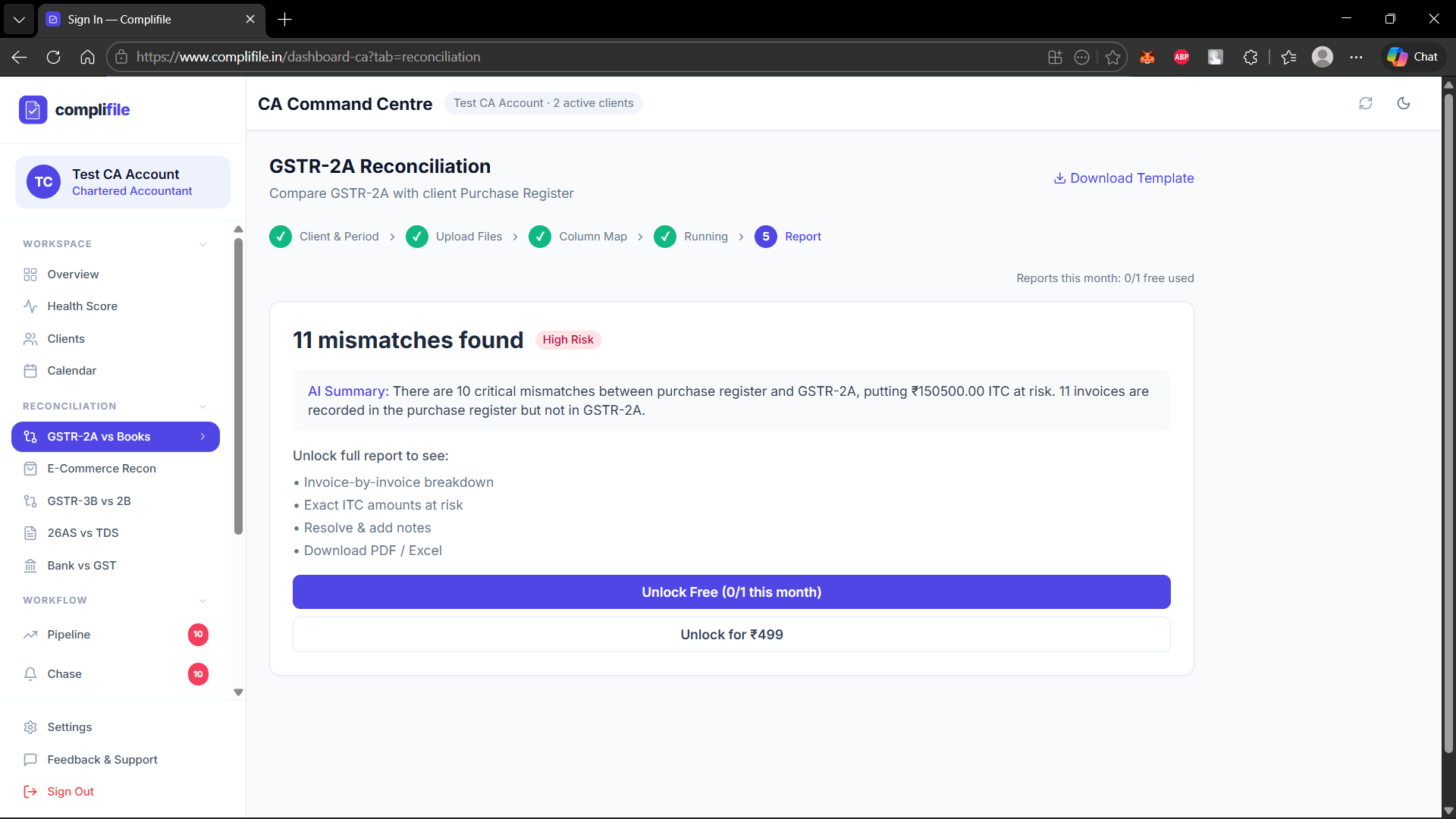
GSTR-2A Reconciliation Report
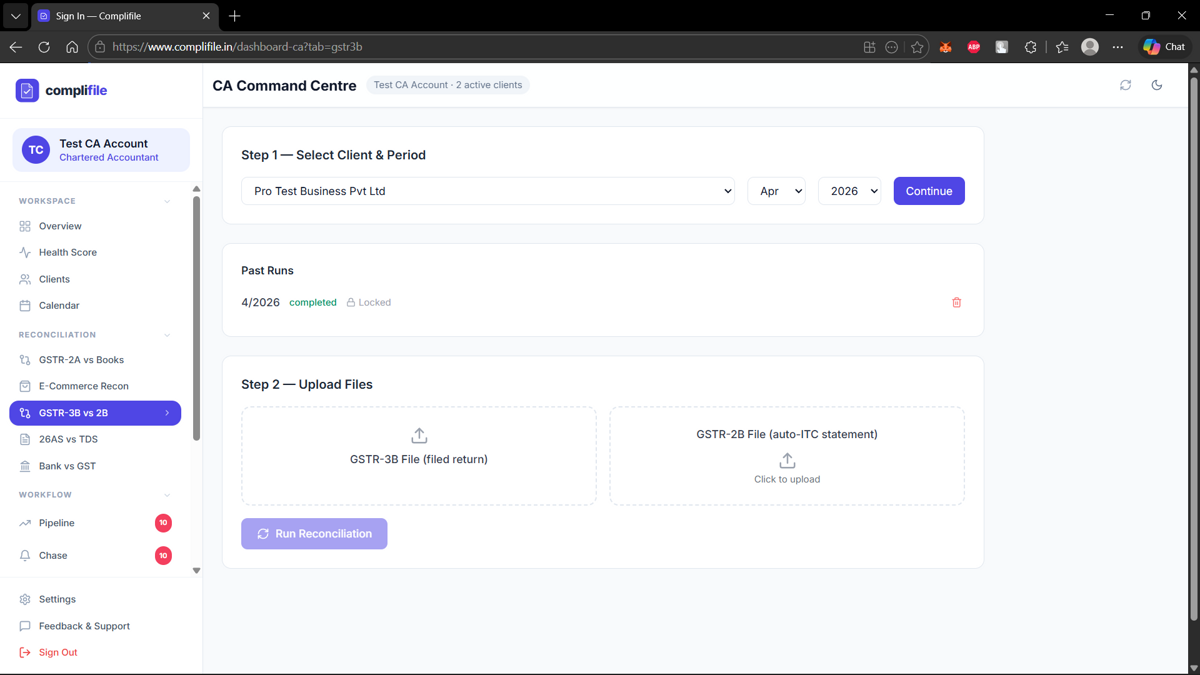
GSTR-3B vs 2B Reconciliation
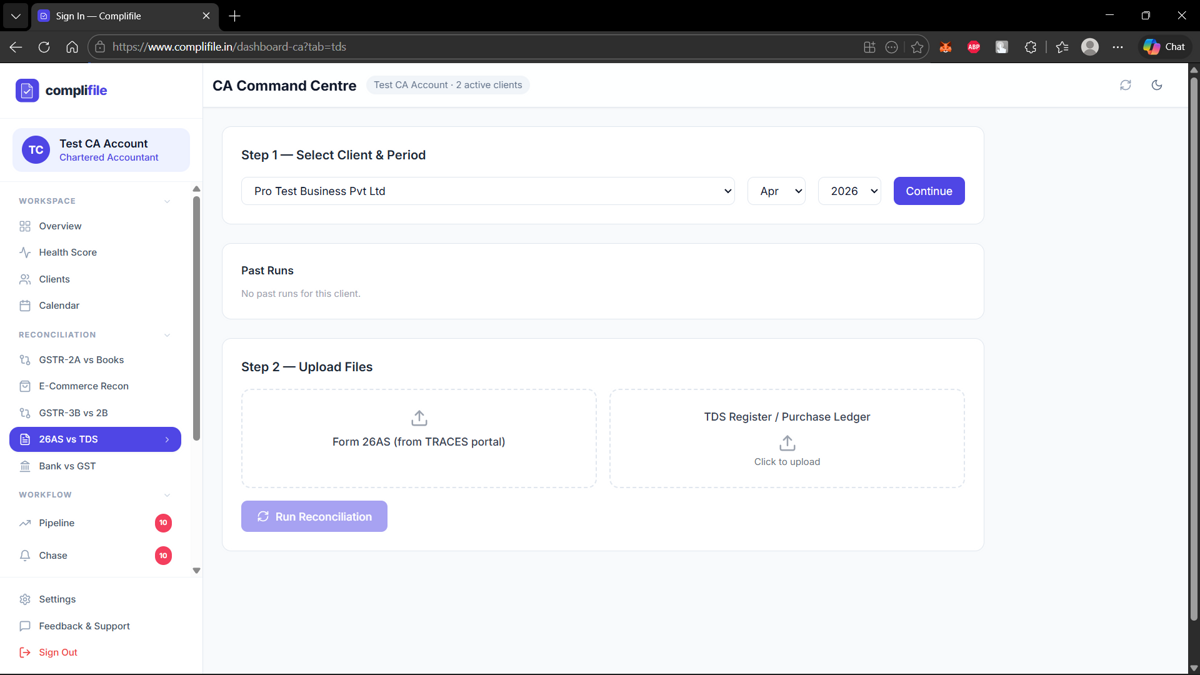
26AS vs TDS Reconciliation
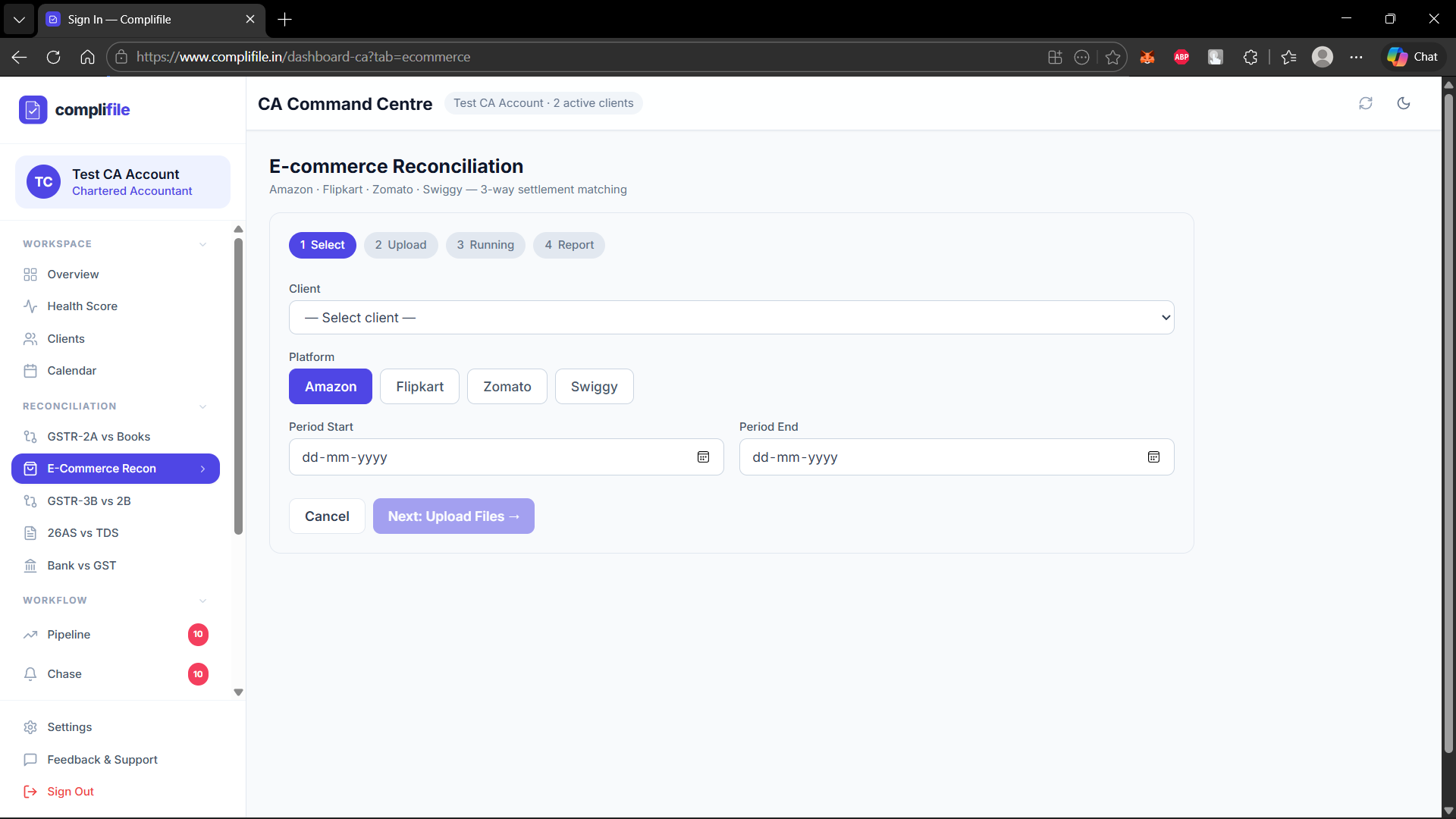
E-commerce Reconciliation (Amazon/Flipkart)
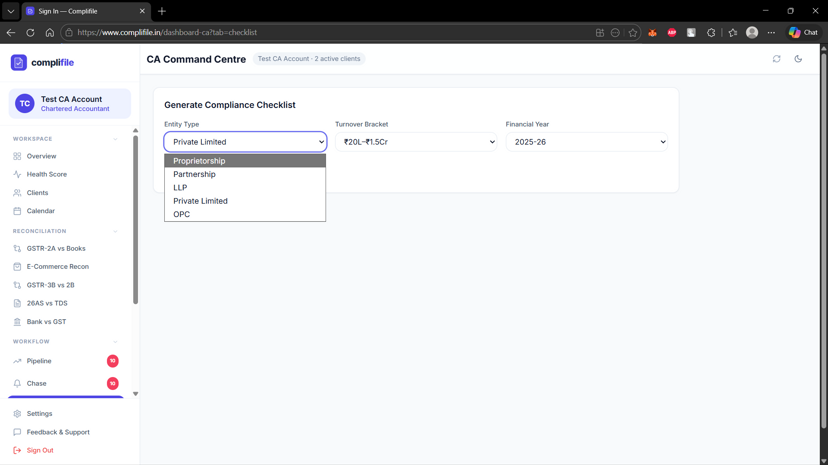
Compliance Checklist
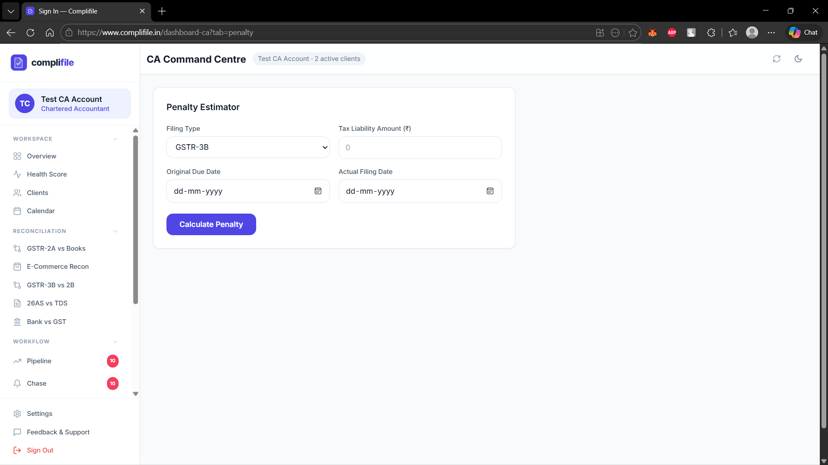
Penalty Calculator
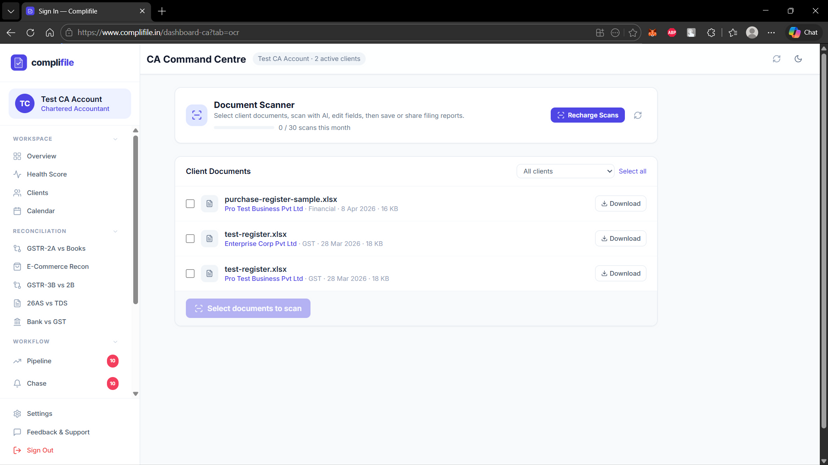
AI Document Scanner
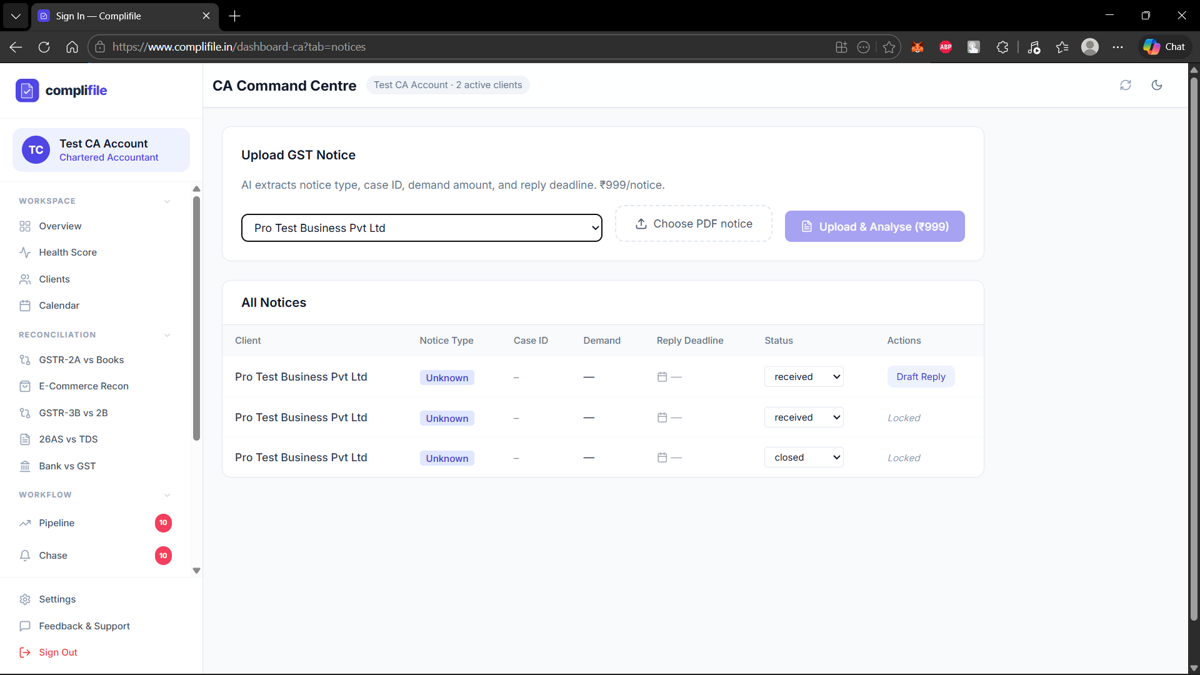
GST Notice Management
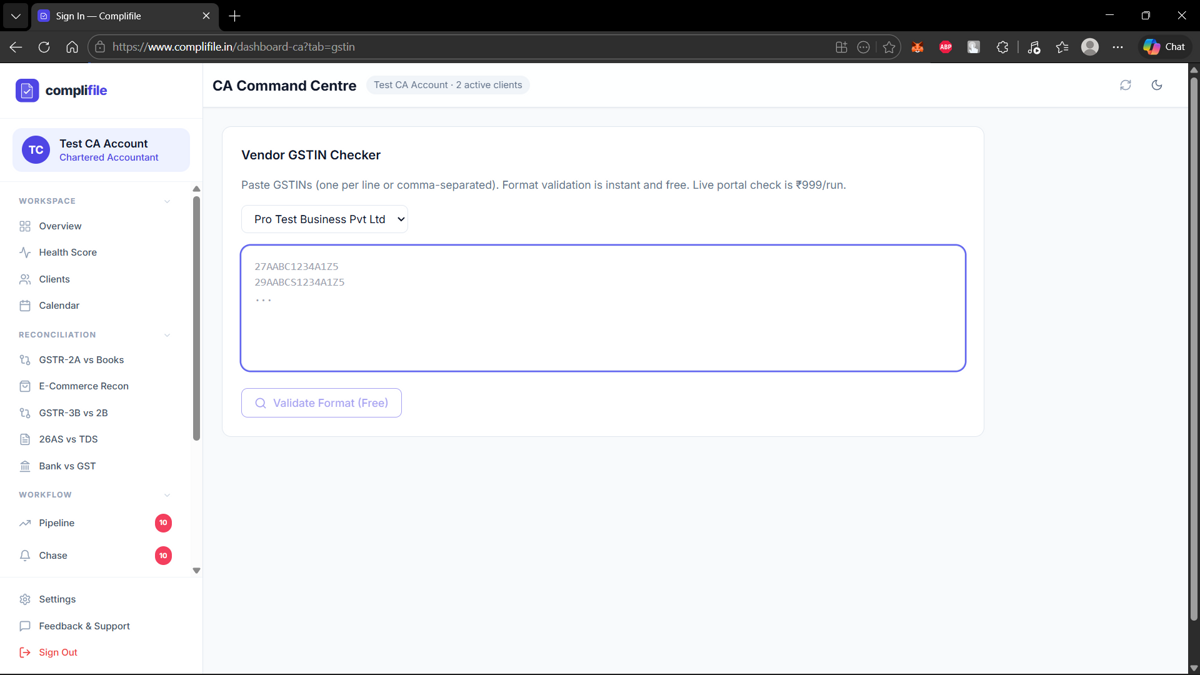
Vendor GSTIN Checker
💰5. Pricing & Subscriptions
Free
- ✓ Task Visibility: 3 tasks
- ✓ Document Uploads: 5/month
- ✓ Storage: 100 MB
Pro (₹999/year)
- ✓ Task Visibility: Unlimited
- ✓ Document Uploads: Unlimited
- ✓ Storage: 2 GB
- ✓ Email Alerts
- ✓ PDF Export
Enterprise (₹2,999/year)
- ✓ Task Visibility: Unlimited
- ✓ Document Uploads: Unlimited
- ✓ Storage: 10 GB
- ✓ Email Alerts
- ✓ PDF Export
- ✓ Multi-CA Support
✓ CA accounts are FREE forever!
Payment Methods: UPI, Cards, Net Banking
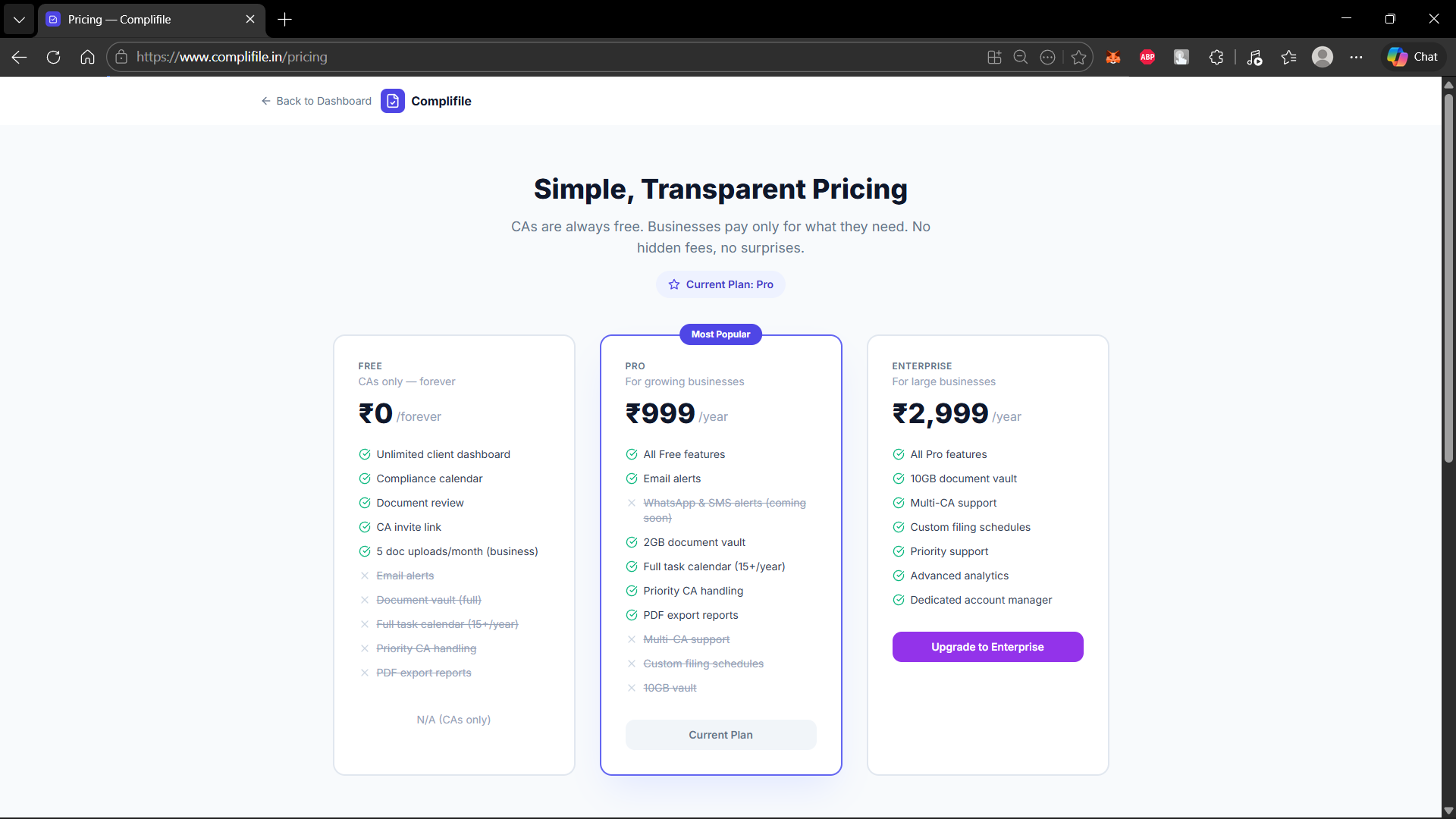
Pricing Plans - Free, Pro & Enterprise
🔒6. Security & Best Practices
Layer 1
Authentication - Supabase Auth with JWT tokens
Layer 2
Authorization - Role-based access control
Layer 3
Row-Level Security - PostgreSQL RLS policies
Layer 4
File Security - Size limits, type allowlists, filename sanitization
Layer 5
Payment Security - HMAC signature verification
Layer 6
API Security - Zod validation, generic error messages
🔧7. Troubleshooting & Support
❌ Can't login
✅ Verify email and password, check email verification, reset password
❌ Can't upload documents
✅ Check file size (max 10 MB), verify file type, check storage space
❌ Payment failed
✅ Verify payment details, check balance, try different payment method
📧 support@complifile.com
🕐 Monday - Friday: 9:00 AM - 6:00 PM IST
🎥Video Tutorials
Watch these videos to learn how to use Complifile
Getting Started - Account Setup & Onboarding
Learn how to create your account and set up your compliance calendar
Document Upload & Vault Management
How to upload your documents and keep them organized
Task Management & Tracking
How to track and manage your compliance tasks
CA Dashboard & Client Management
How to manage compliance for all your clients
Coming Soon: More videos on GST filing, report exports, and advanced features